Interactive Learning for Underprivileged Communities
When Pune Learns, an education non-profit, shifted to online learning during the pandemic, they faced a critical challenge: video calls alone weren’t enough to keep students engaged. Many students, coming from underprivileged backgrounds, lacked the motivation and structure they needed to stay consistent. Dropout rates rose, and the joy of learning was missing.
I collaborated with Pune Learns to design a gamified learning platform and an accessible website that gave students a reason to reconnect with education and stay committed to their goals.
Timeline
Dec 2023 – Feb 2024
Contributions
User Experience Audit, Wireframing, Website Design, Gamified Interface Design
Looking for a quick overview?
What did I do?
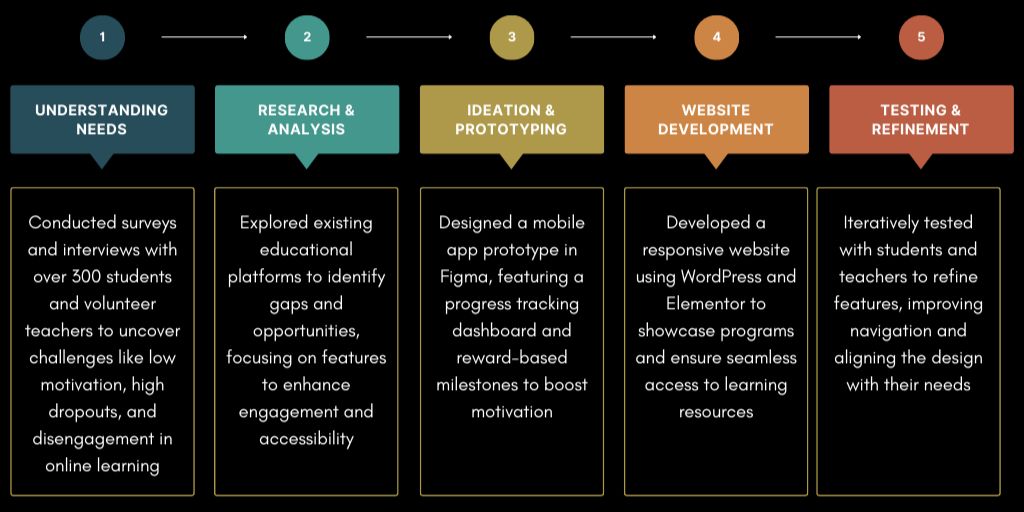
Redesigned the learning experience for Pune Learns by identifying key challenges through needs assessments and stakeholder interviews with over 300 participants. Designed an interactive mobile app prototype using Figma, featuring a progress tracking dashboard and gamified learning elements to enhance student engagement. Additionally, developed a responsive website using WordPress and Elementor to showcase programs like English Communication and Holistic Development, ensuring seamless access to resources.
What impact did it have?
The redesign resulted in a 40% increase in student engagement and a 50% reduction in dropouts. The website improved access to programs and fostered greater community involvement, helping students stay motivated and committed to their education.
What did I learn?
This project highlighted the importance of creating learning experiences that are both engaging and accessible. I learned how interactive design and clear navigation can transform user motivation, especially for underprivileged learners facing unique challenges.
Project Overview
Collaborators
Volunteer teachers
User research participants (students and educators)
Mobile app development team
Target Audience
Primary: Students from underprivileged backgrounds in Pune, facing challenges in online learning. Secondary: Volunteer teachers managing online classes and assignments.
Challenges
Low Engagement: Students struggled to stay motivated during video-call-based classes, often dropping out
Technology Barriers: Poor internet connectivity and limited access to devices hindered participation
Teacher Workload: Volunteers faced challenges with low student interaction and maintaining classroom discipline
Goals
Design an engaging digital learning platform to motivate students and reduce dropout rates
Address barriers like technology access and navigation challenges with intuitive design
Provide tools to help teachers track progress, manage assignments, and improve student interactions
Process
A structured approach combining research, design, and testing to address the needs of students and volunteer teachers effectively
Research
A deep dive into the challenges faced by students and volunteer teachers during online learning, uncovering key barriers to engagement and participation.
Understanding the Students
I conducted interviews with over 300 students to uncover the reasons behind absences, drop-offs during classes, and low engagement. Many cited challenges such as poor internet connectivity, limited access to mobile devices, and difficulty navigating online platforms. Additionally, students reported feeling disconnected during video-call classes, which made it harder for them to stay motivated or complete assigned tasks.
Challenges faced by volunteer teachers
Interviews with volunteer teachers revealed their struggles with low participation and engagement from students. Teachers expressed frustration over students keeping their cameras off and not responding when called on, creating a sense of isolation and inefficiency in teaching. They also faced logistical hurdles in managing and tracking assignments through online modes, which added to their workload and further complicated the learning process.
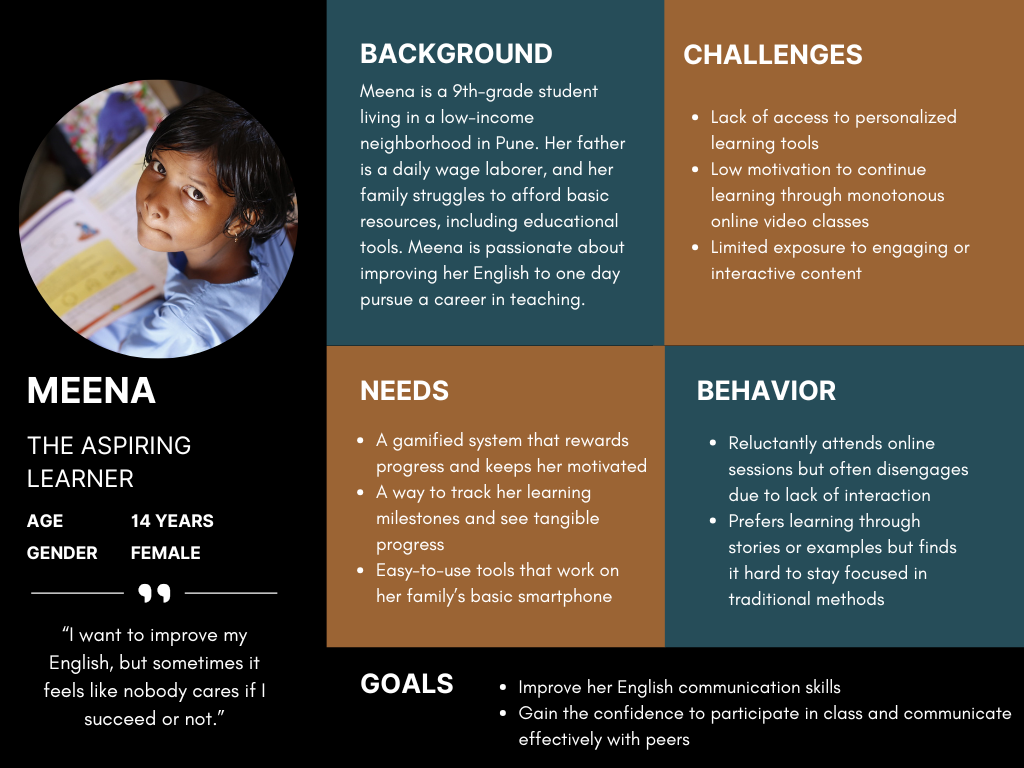
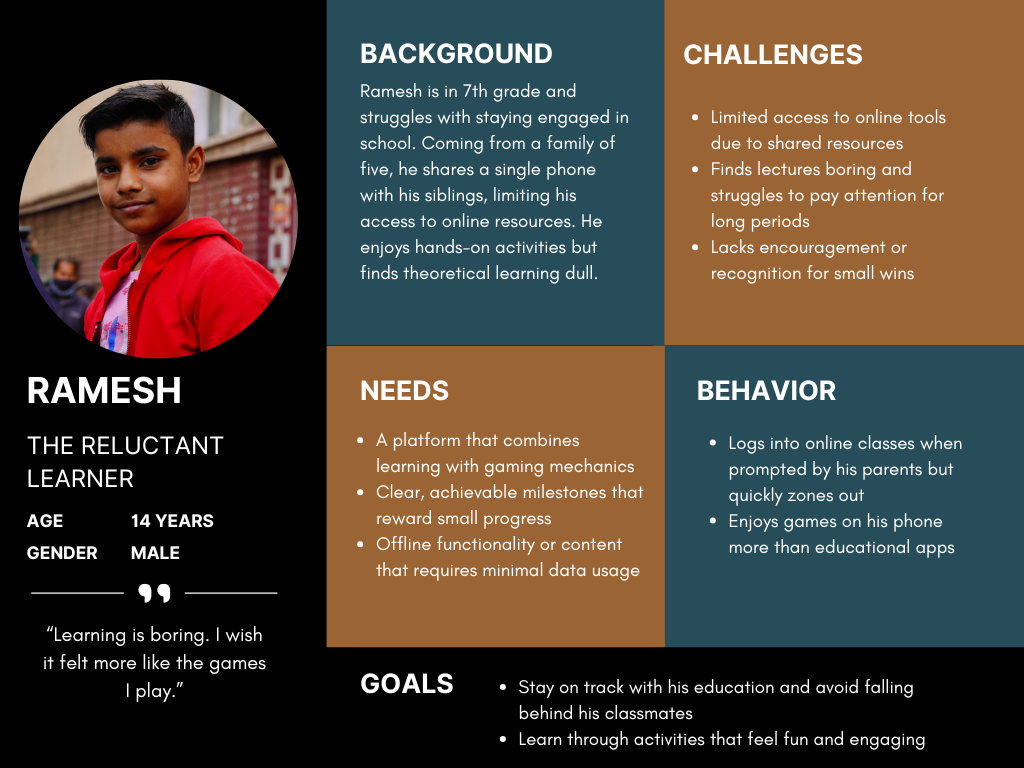
User Personas
Exploring the needs, motivations, and challenges of underprivileged students navigating online learning
Solutions Identified
Interactive Mobile App
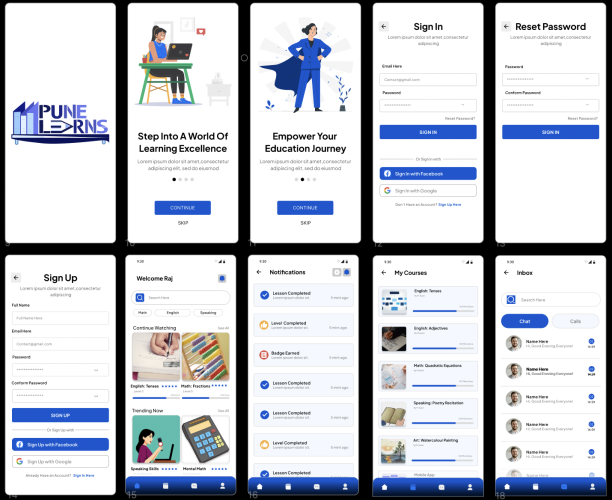
A mobile app prototype was made using Figma to address engagement challenges and incorporate interactive features and tracking
Responsive Website
To showcase learning programs optimized for poor internet connectivity to ensure accessibility for underprivileged communities
Progress Tracking
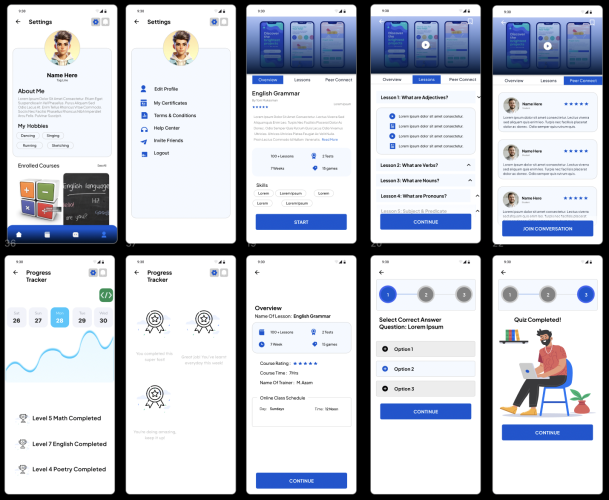
A visual dashboard of student achievements
Gamified Challenges
Rewards for completing milestones
Milestone Badges
Unlock badges for completing learning milestones
Leaderboard Rankings
Encouraging engagement by tracking progress against peers
Ideation & Prototyping
Transformed insights into actionable designs through collaborative brainstorming, wireframing, and iterative refinement
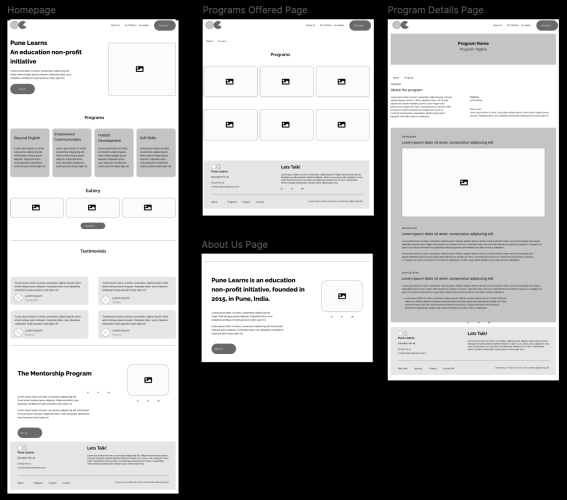
Website Wireframes
Responsive website wireframes keeping in mind user needs for low-cost smartphones and poor internet, with clear navigation and resource access for students and parents
Mobile App Prototyping
A mobile app prototype, designed in Figma, focused on engaging students with a progress tracking dashboard and gamified interactions
Website Development
The website was developed using WordPress and Elementor, ensuring smooth performance on low-cost smartphones and limited internet connections. The focus was on creating a reliable platform where students and families could easily access Pune Learns’ programs and resources.
The result? A seamless and dependable digital space designed to support education for underprivileged communities.
40% Increase in Engagement: Gamified tools and the progress tracker turned passive students into active participants
50% Reduction in Dropouts: The interactive and personalized design gave students a reason to stay
Enhanced Community Awareness: The website bridged the gap between students and Pune Learns’ offerings, increasing accessibility and fostering trust
What’s Next?
The project laid the foundation for meaningful change, but there’s room to grow:
Multilingual Support: Adding regional language options to expand accessibility
Offline Access: Developing offline functionality to support students with inconsistent internet connectivity
Teacher Dashboards: Creating tools for educators to track progress and provide personalized guidance
When learning becomes interactive and inclusive, students don’t just participate - they thrive. Pune Learns is proof that thoughtful design can redefine education for those who need it most.